How to update or load a firmware on Kraftor ?
- Open the plastic case by gently squeezing the top part and lifting it while holding the lower part.
- Install your voice board
- Connect Kraftor to your computer via USB.
- Double-click on the reset button
- A new drive named “KraftoBOOT” will show up on your computer, and the MIDI LED will start to glow gently
- Drag the firmware ending with “.UF2” to the “KraftoBOOT” drive
- Done! : Kraftor will restart using the newly installed firmware
Kraftor uploader
If you just want to update the firmware without changing the voice board, you can also do everything remotely via USB without opening the case.
Use this small utility in your browser : 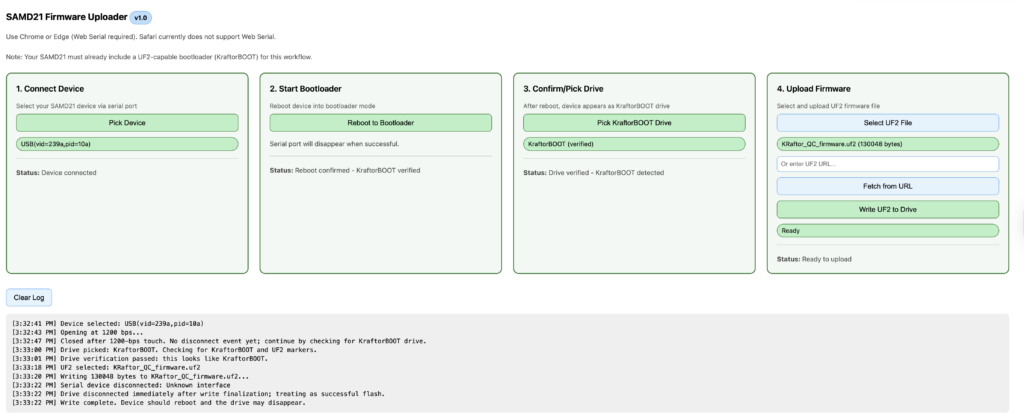
You can run the utility one line here https://deladriere.github.io/samd21_UF2_uploader/
or access the source code here :
GitHub - deladriere/samd21_UF2_uploader
deladriere/samd21_UF2_uploader
To upload your firmware into Kraftor
To upload your firmware into Kraftor