Kaiwa Serial MIDI for Kraftor
Give Kraftor a Japanese robotic voice with a Kaiwa Vox board. Type Japanese in romaji in Kaiwa Designer, save phrases, then trigger them from a MIDI keyboard or sequencer.
Kaiwa Designer
Open Kaiwa Designer · Full user manual
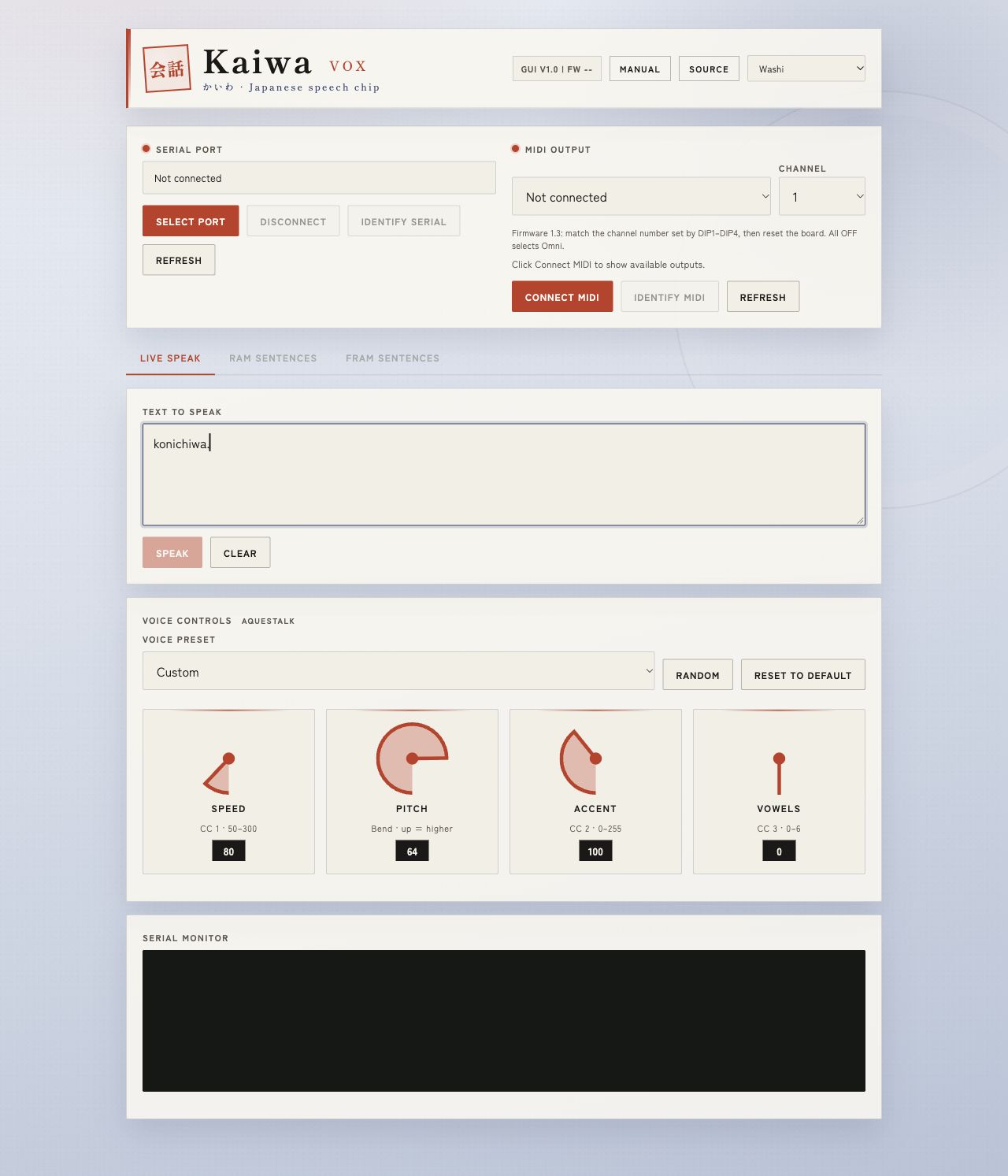
Use Chrome or Edge on a desktop computer with a USB data cable. The Designer provides live speech, speed, pitch, accent and vowel controls, plus RAM and FRAM phrase banks.
Firmware download

Install on Kraftor
This firmware is for Kraftor with a Kaiwa Vox board fitted. It uses a UF2 file.
- Disconnect power before fitting or changing the Kaiwa Vox board.
- Connect Kraftor to your computer with a USB data cable and enter its UF2 bootloader.
- Copy the downloaded
Kraftor_Kaiwa_1.0.1.uf2file to the bootloader drive. Kraftor restarts after the copy. - Open Kaiwa Designer and click Select port. Choose Kraftor and check that the reported model is KAIWA.
First words
Enter konichiwa. and click Speak. Enter Japanese in romaji (Latin letters), using the AquesTalk punctuation marks. End each sentence with . or ?.
The chip does not read Japanese kanji, hiragana, katakana or ordinary English directly. A phrase is limited to 127 ASCII bytes. Examples: oha'yo-. and yorosi'idesuka?. The manual explains accent marks, long vowels and phrase breaks.
USB Serial and MIDI
USB Serial edits the words. Use it to speak typed phrases, read device information and edit phrase banks.
MIDI controls playback and voice settings. Select Kraftor as your MIDI output, through USB MIDI or the 3.5 mm TRS MIDI Type B input.
Serial and MIDI are separate connections in the Designer. If several Kraftor units are connected, use Identify Serial and Identify MIDI to check which unit each connection reaches. Identify MIDI uses RAM slot 0.
Phrase banks
- RAM: 20 temporary phrases, lost when power is removed. MIDI notes 28–47 play slots 0–19.
- FRAM: up to 100 persistent phrases when the optional RC256 is fitted. MIDI notes 48–127 play slots 0–79; slots 80–99 are available through the Designer and serial commands.
The Designer can fill phrase banks from pasted text and print a MIDI reference sheet. If Kaiwa is already speaking, a new trigger reports busy. Use Stop to interrupt the current phrase.
MIDI channel
Set DIP1–DIP4 on Kraftor, then restart it. Their values are 8, 4, 2, 1; add the switches that are ON to select channels 1–15. All OFF selects Omni. In the Designer, choose the same channel.
MIDI voice controls
| MIDI message | Control |
|---|---|
| CC 1 | Speech speed, 50–300 |
| Pitch bend | Pitch; bending up raises the voice |
| CC 2 | Accent, 0–255 |
| CC 3 | Vowel elongation, 0–6 |
Speed, pitch and accent apply to the next phrase. Vowel elongation inserts long-vowel marks into the romaji text; keep it at 0 for long phrases to stay within the chip’s 127-byte limit.
Serial commands
Serial runs at 115200 baud. Plain text followed by Return speaks immediately. Firmware 1.0.1 accepts CR, LF and CR+LF line endings.
!INFO?                  Device information
!VOICE?                 Read voice settings
!VOICE 80 64 100 0       Speed, pitch, accent, vowels
!SET R 0 konichiwa.      Save RAM slot 0
!PLAY R 0               Play RAM slot 0
!SET F 0 oha'yo-.       Save FRAM slot 0
!PLAY F 0               Play FRAM slot 0
!DUMP R                 List RAM phrases
!DUMP F                 List FRAM phrases
!STOP                   Stop speech
Version history
1.0.1 · 23 October 2026: Kraftor Kaiwa release with USB Serial, USB and TRS MIDI, optional OLED and FRAM, plus CR/LF/CR+LF serial Return handling.