New add-on voice: SPO vox


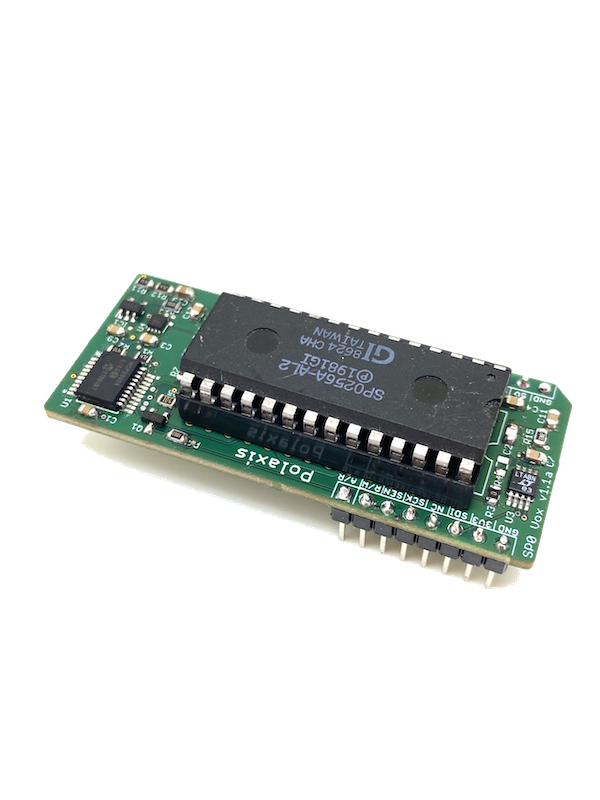
My first speech synth that got me hooked about them: the SPO256-AL2!

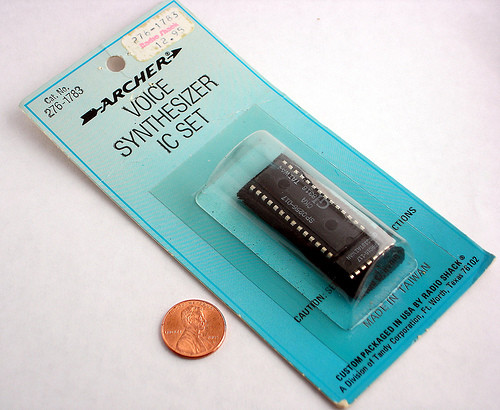
Back in the day, in the mid-’80s there was only one place to get electronics components: the Tandy Radio Shack store.

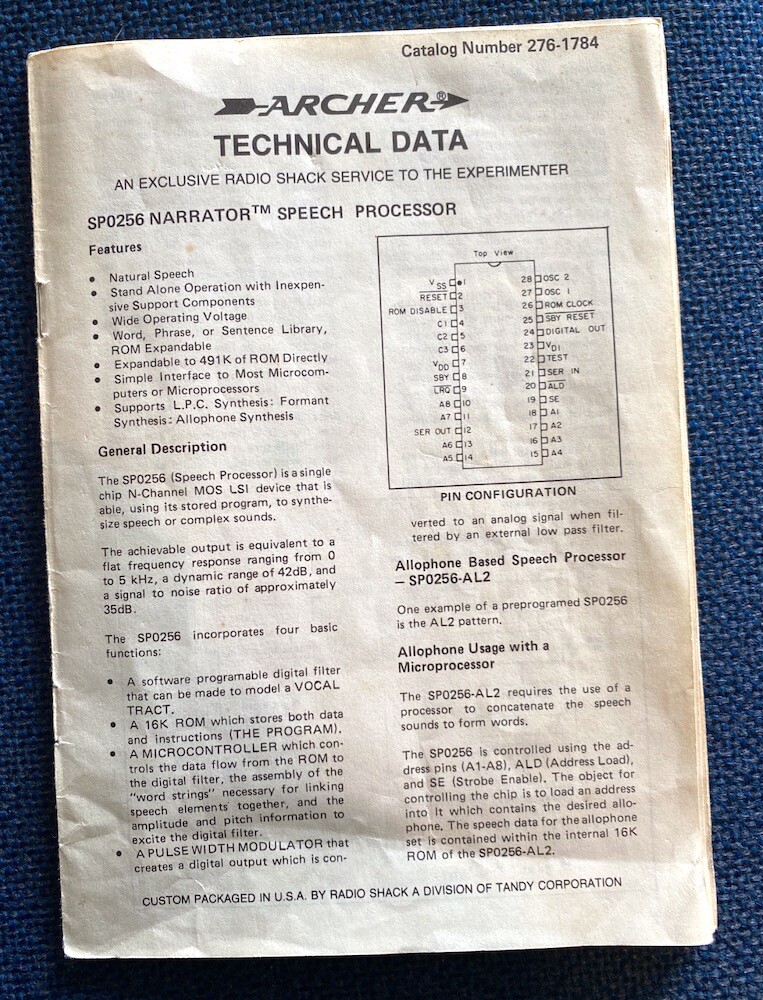
They would sell chips in individual packages accompanied by a printed datasheet (I still have mine).

They were selling the SPO256 Narrator which became quite popular and was used in many commercial speech synthesizers that were interfaced with microcomputers.

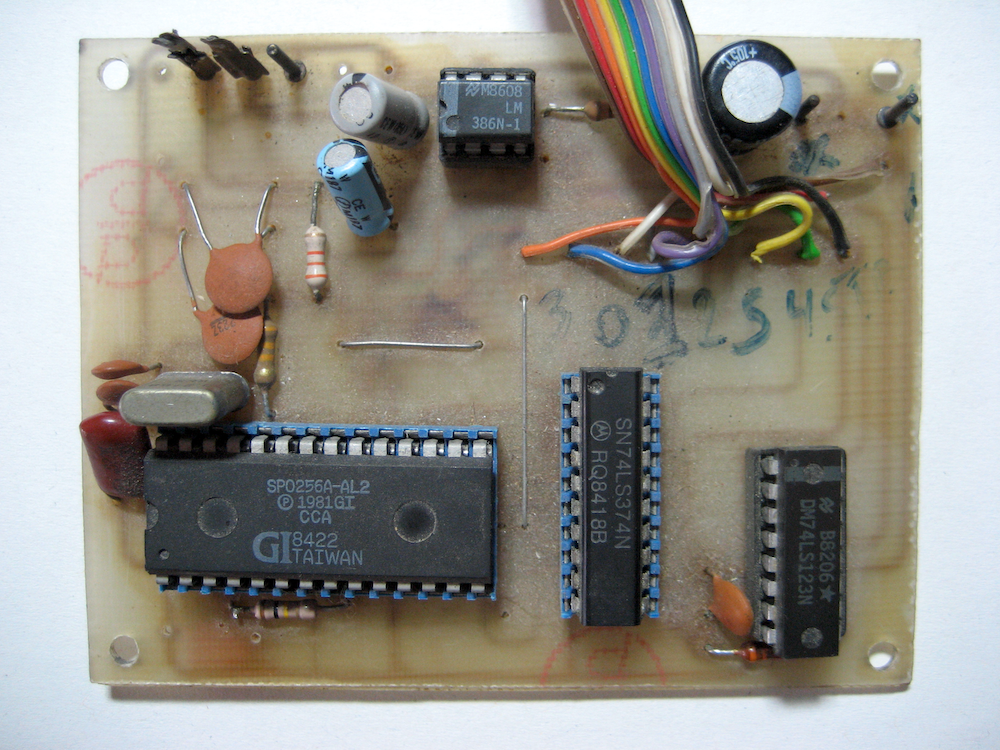
Soon I found a schematic to build a talking printer! It was entertaining to hear it speak for the first time!

Today I decided to create a new add-on board for Emy.

The chip has a great potential for making sounds: it sounds metallic, it can hold a phoneme until the next one and the pitch can be driven by an external oscillator.

(in fact, the most difficult part is finding these chips!)

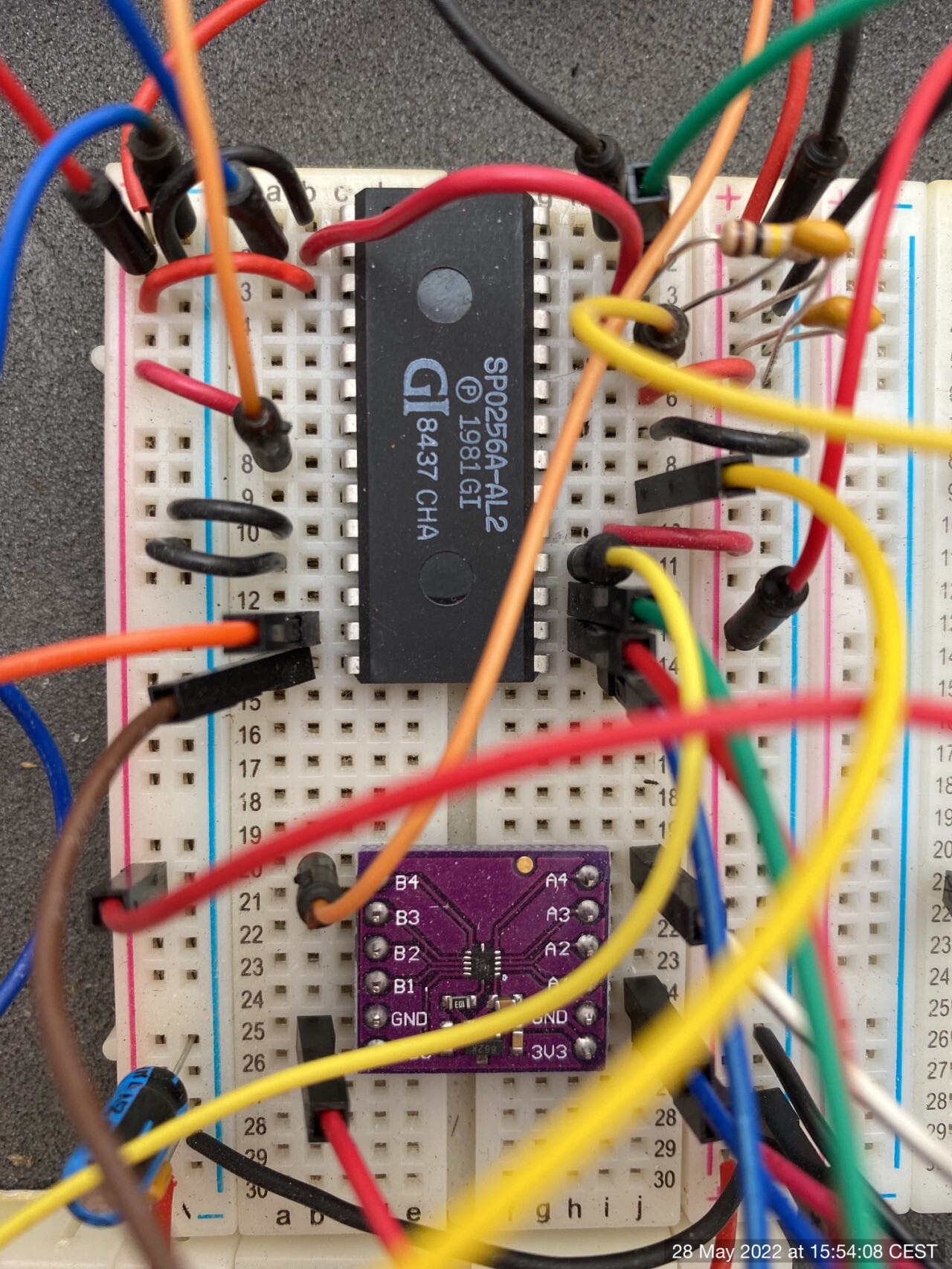
After a few iterations on the breadboard and ad few revisions of the board itself, I came up with a design that add 2 new functions to the chip:

  • pitch control via the external oscillator
  • volume control via a digital potentiometer driving an OP amplifier


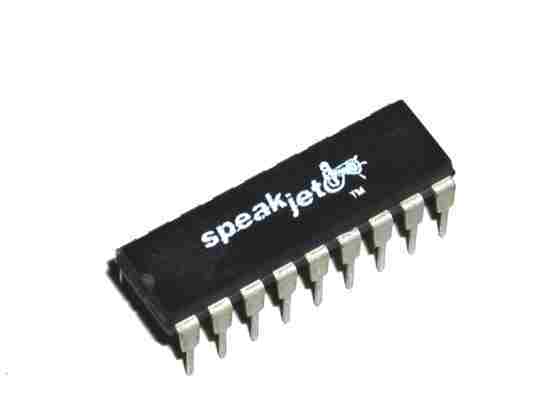
New add-on voice: SpeakJet vox

I guess that I don’t have to present the SpeakJet anymore 😉

Let me highlight some of the functionalities that make this chip a very entertaining one to operate.

The chip

Natural phonetic speech synthesis.

SpeakJet uses allophones that can be chained to produce words, but it continuously calculates how to best transition them for a realistic speech.

Four special prosodic codes (\SLOW \FAST \STRESS \SOFT) allow the user to fine-tune the expression of the next allophone : 

alphabet: \AY \LO \FAST \FF \FAST \AX \STRESS \SOFT \BE \EY \SLOW \TT

Further tuning with the Rate, Pitch, Bend, and Volume parameters adds to the quality of the speech.
These parameters are fully accessible via CV control.

43 sound effects, and 12 DTMF Touch Tones

Using these sound effects can create authentic glitches and beep sequences. 

Programmable, 5-channel synthesizer

The SpeakJet is also a tone synthesizer that can create complex sounds (this is not covered by our code yet)

Our code

In this first code release, I implemented the following functions :

Allophone 

The user can choose which group to play: Vowels/Voiced/Voiced Stop/Voiceless/All Allophone/All Effects/DTMF

The priority can be given to:

  • the Gate signal (Gate mode)
  • optimized transitioning (Queue mode)
  • to the allophone timing itself (Speech mode)

Number

There are three modes to generate numbers: CV controlled, Looping or Random.

SD DIC

The code will read a phonetic file and allow the user (or the code in the loop and random mode) to choose a line from that file.

Example of the file content:

along: \UX \LO \OH \OH \SLOW \NGO
alpha: \AY \LE \FAST \FF \UX
alphabet: \AY \LO \FAST \FF \FAST \AX \STRESS \SOFT \BE \EY \SLOW \TT
already: \AW \LE \FAST \RR \EY \DE \IY
also: \SLOW \AW \SLOW \LO \SLOW \SO \OWWW
although: \FAST \OH \SLOW \LO \DH \SLOW \OWWW
always: \SLOW \AW \LE \WW \EYIY \SLOW \SE

There is a huge collection of words to get you started :

    User control

    The potentiometer P1-P5 affects the pitch, rate, bend, repeat, and volume.

    While playing with the interface, the display contextually shows the information about the changes made (rotary, switch, and potentiometers)

    A long click brings the user back to the main menu.

    A double click in the SD DIC mode brings the user to the file selection menu.

    There is a screen saver that will activate after 10 minutes. Turn the rotary to reactivate the display. 


    World’s end sequence : sounds from Osaka

    Check this track from World’s end sequence
    I am sure you will recognize some typical sounds source 😉

    world’s end sequence · LOVEBEAT Imaginary continuation :Re(Image of DEMO & LOOPS_Track)

    Here is World’s end sequence’s comment about it :

    I like to listen to electronic music such as KRAFTWERK, YMO, Yoshinori Sunahara, Cornelius, etc.
    I just learned about the POLAXIS speech synthesizer the other day and haven’t mastered it yet, but it’s a very creative machine. The world of voice synthesis is very deep.
    I haven’t met Jean-Luc yet, only by e-mail, but I like his personality very much.
    This song is an imaginary continuation of Yoshinori Sunahara’s 2001 masterpiece, “Lovebeat”, based on his short outtakes.
    I hope to see you again in the next song.


    Also, check this reconstruction of The Robots :

    world’s end sequence · We Are The Robots_Kraftwerk


    Help us find the tagline that speaks to you

    https://www.polaxis.be/forum/topic/help-us-find-the-tagline-that-speaks-to-you/#postid-20


    Andrew Shaw latest Kraftwerk cover : Tribal / Nummweltverschmutzung

    Another incredible piece of work by Andrew Shaw.

    As in all of his tracks, Andrew has put together a perfect cover of a Kraftwerk song, here: Tribal / Nummweltverschmutzung.

    Beyond his numerous musician skills, Andrew is also a meister in taming the Votrax SC-O2 chip included in the Robovox.

    In this track, the chip capabilities are pushed to the max, so I had to ask Andrew how he did it. I wanted to know if he used the external carrier audio input to achieve these results.

    He did not.

    He is pitching the chip and heavily modifying the staccato function in the PEC VST plugin :

    Pitching the chip

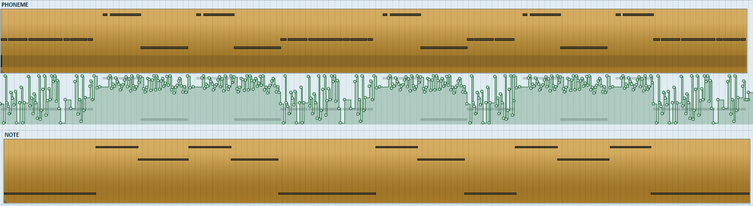
    He also used  CC3 to drive the control rate ( movement of the formant position – see the SC-02 datasheet) at near its max value to make it sound more choppy.

    Here’s a picture of just some of the automation done in Reaper,  driving the note pitch (CC2) and the master clock (CC1) 

    automation


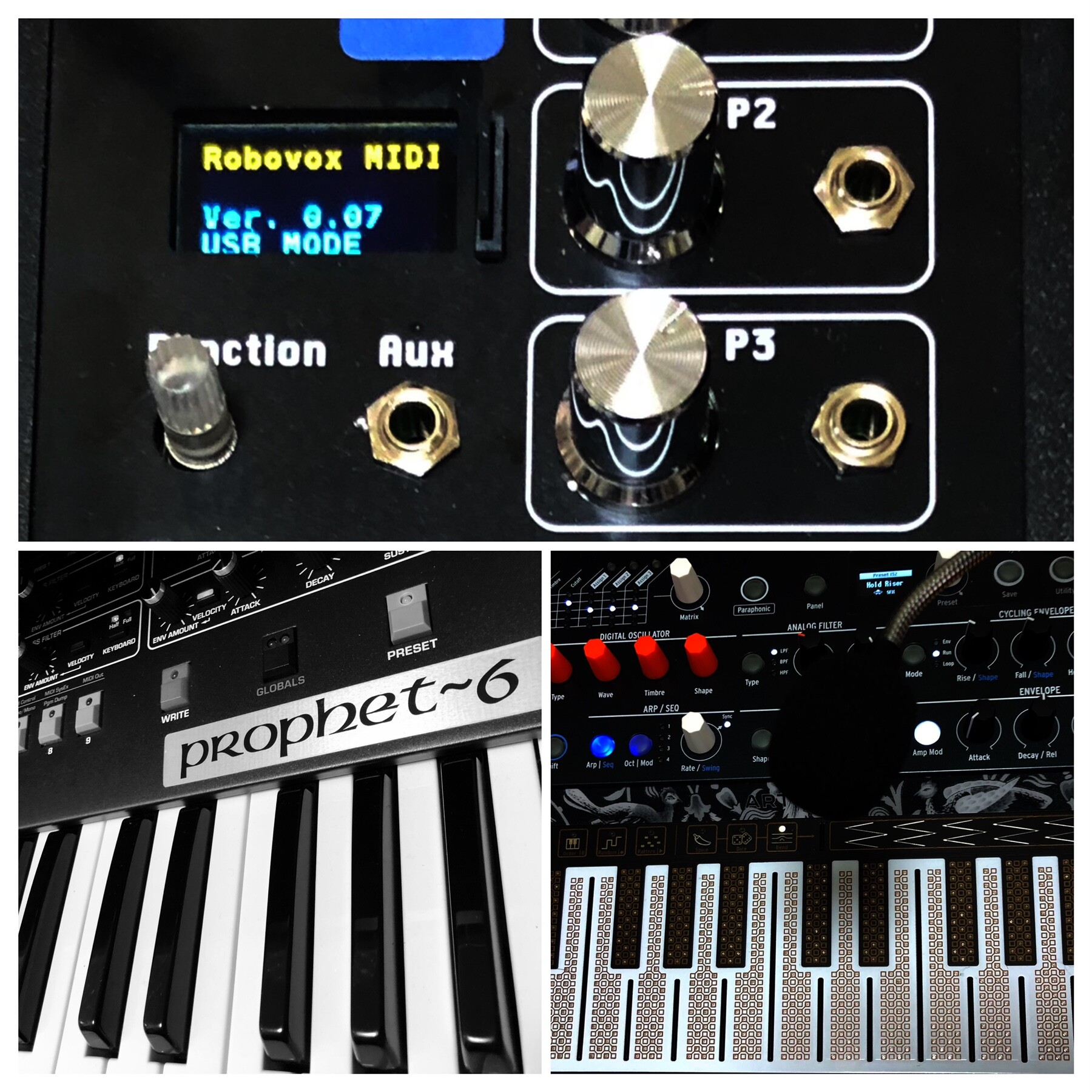
    Andrew kindly shared the Votrax MIDI file so you can download it and test it on your Robovox

    Andrew supposes that there are a few parts for this where Florian presumably used two chips at different pitches.

    Andrew had to work around this by recording the Votrax through a harmonizer – it won’t be quite the same with this “simpler” midi file.
    (I just played it on my system : it is still very fun and impressive)


    Ezzential Electro

    Electro Records is working on a collection of 36 vinyl records collaborating with 36 different artists they consider essential to understanding the current electro music movement.
    They have released the first six records, and you can hear them here: https://www.electro-records.com/catalogo/ezzential-electro/660/.

    Transpac is one of the artists making beautiful and mesmerizing music with an excellent retro style.
    He is certainly using some of my speech synthesizers. (also here: https://www.electro-records.com/catalogo/sci-fi-electro/585/)

    Check this track by Transpac on the album Telecommunication. Track B2 Minitel.
    Can you guess which module is in action ? I think this is the Mea Vox!


    Updating the shop

    As you may have noticed, I am busy merging the old blog into a more user-friendly shop.

    I still have a lot to do to merge the old blog pages and the products pages.

    The goal is to let you understand better all my products and how to use them.

    I know the documentation isn’t always as expected, but I keep editing it with your feedback.

    Thanks for your patience


    Emy’s ecosystem

    HardwareFeaturesFirmwareStatusTodoBuy
    Emy 2018Emy emulates the famous TMS5220/TMS5100 speech chips and read the LPC compressed data from the SD card to allow infinite vocabulary !
    Emy QC
    20/10/2019

    ver. 1.2


    Emy 2018 firmware
    13/01/2023

    ver. 1.5

    StableText-to-speech from SD
    Emy 2019Same as Emy 2018
    USB keyboard support
    Generic panel to support additional speech synth.
    Emy QC
    20/10/2019

    ver. 1.2


    Emy Firmware
    27/01/2024

    ver. 2.6b

    StableText-to-speech from SDBuyNow
    Emy + Kaiwa-voxRobotic voice Japanese text-to-speech. Reads Romaji text from the SD card.
    Kaiwa Firmware
    22/01/2023

    ver. 2.3

    StableUSB Keyboard text entryBuyNow
    BuyNow
    Emy + VAX-voxDectalk text-to-speech.
    Reads plain English from the SD card and from the USB keyboard
    Vax Firmware
    05/06/2026

    ver. 0.35

    BetaBuyNow
    Emy + Mea-voxvintage MEA8000 French speech chip (Formant generator)
    Text-to-speech from SD card and from the USB keyboard
    Mea Firmware + MIDI USB
    08/05/2022

    ver. 0.6

    AlphaBuyNow


    Use a USB keyboard for text entry

    Use a standard USB keyboard to enter some text and have it spoken live on VAX (soon on Kaiwa and Emy).

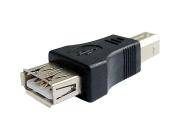
    The keyboard is connected to a USB gender changer (provided with the last edition of Emy ) which also powers the keyboard.

    The speech can be triggered by the Gate signal, pressing the rotary or by pressing Enter on the keyboard.
    Basic editing is possible with the backspace character while the Escape key is erasing the current text.

    There is also a gate out signal on the Busy/Aux jack that stays up while the keyboard is pressed (it is not needed for the speech but I thought it could be fun to use it)

    The newer version of Emy’s PCB 1.0c allow powering the keyboard but If your PCB is 1.0b you will need to apply the following hack.

    • Add a Schottky diode (like the BAT85) between the +5v via end the USB connector like shown here :

    • Be careful not to overheat the via while soldering it.
    • Do not use this port to power something else than a normal keyboard. The maximum current that can be provided is 300 ma.

    Enjoy your new talking keyboard!

    This works great with wireless keyboards too and allows triggering the speech from quite a distance.


    How to add new vocabulary to Talko, the easy way

    Previously, I had described here: how to do compress sound using a venerable Windows 3.1 tool: Qbox Pro. The process what quite long to set up and does not always produce good results.

    Today I discovered BlueWizard from this post.

    BlueWizard runs on Mac and allows to tweak the process in real time to optimize the output!  The author has been kind enough to make some small tweaking just for the Arduino and Talko!

    Simply open your file (which has to be recorded at 8 kHz with 16-bit depth ), click on the 2 tick boxes:
    – “include hex prefix (0x)” to allow direct pasting into the Arduino IDE
    (if you are using it for Emy’s SD card do not tick this box)

    • and “include explicit stop frame” to avoid the library producing gibberish noise a the end of the sound

    then copy the resulting the data from the “Byte Stream” windows.

    Bluewizard

    Open the Arduino IDE and paste the data stream into your code before uploading it to Talko.

    Let’s make  a sound and process it:

    say -v"alex" "We are charging our battery. And now we are full of energy. We are the robots." -r 100 -o roboter.wave

    converting to 8 kHz with 16-bit depth using SoX

    sox roboter.wave -r 8k -b16 roboter.wav

    and the compressed version made with Talko :

    the Arduino code:

    // Talkie Adafruit library
    // Copyright 2011 Peter Knight
    // This code is released under GPLv2 license.
    
    #include "talkie.h"
    
    Talkie voice;
    
    const uint8_t spROBOTS[] ={0xa6,0xd6,0x4a,0x67,0xd8,0xed,0xa8,0x9a,0x35,0x37,0xd5,0x8a,0x1c,0x72,0xbf,0x84,0xcd,0x2a,0x4a,0xca,0x42,0x50,0x77,0xed,0x6a,0x25,0xcb,0x1a,0xb3,0xa3,0xa3,0xa4,0x34,0x4b,0xb2,0xe9,0x0c,0x9b,0xd2,0xc4,0xd9,0xa7,0xca,0x6c,0x49,0x8a,0x26,0x9d,0xaa,0x28,0x2d,0xc9,0x96,0xad,0xbc,0xaa,0xb6,0x24,0x47,0xb5,0xd0,0x1c,0xd3,0x92,0x9c,0xcd,0x43,0x7c,0x68,0x4b,0x72,0xd6,0x2c,0xf6,0xa2,0x25,0xcd,0x9d,0xb3,0x4d,0xc6,0xa4,0xb4,0x4c,0x8a,0x32,0x19,0x9d,0x92,0xb2,0xc8,0xd2,0x79,0x92,0x89,0xeb,0x14,0x36,0xd3,0x26,0x04,0xd8,0x79,0x2c,0x01,0xbb,0x5e,0xb6,0x68,0x8e,0xed,0x2e,0x8b,0xdd,0xea,0x51,0xd3,0xd3,0x35,0x4e,0xcb,0x73,0x74,0xf3,0xd4,0x38,0xa3,0x4c,0xd9,0xdd,0xc3,0xed,0x96,0x2a,0x76,0xb5,0x36,0x5d,0x9c,0xaa,0x38,0x4c,0xc7,0x75,0x52,0xaa,0xc3,0x14,0x5b,0xb3,0x51,0xa1,0x0e,0xdd,0x64,0x92,0x4f,0x86,0x3a,0x54,0x89,0x31,0x99,0x98,0xea,0x58,0x38,0x27,0x64,0x42,0xa8,0x73,0x81,0x49,0x8b,0x91,0xa6,0x4e,0x19,0x36,0x22,0x4a,0x88,0x3a,0x25,0x98,0x0c,0x2b,0x69,0x9a,0xa4,0x49,0xbd,0xb2,0x56,0x69,0x46,0x55,0x66,0xd5,0xb6,0xa5,0x19,0x95,0xd8,0x2c,0xda,0xb4,0xa6,0x5a,0x52,0x8f,0xac,0x53,0x9a,0x62,0xd1,0xab,0x2a,0x72,0x68,0xb3,0xc1,0xd8,0xcc,0xd0,0xae,0x8b,0x8a,0xe2,0xd2,0x4c,0xb9,0x4e,0x1b,0xed,0x56,0xb7,0x62,0x3a,0x63,0xa4,0xdd,0xd3,0x4a,0xe8,0x8a,0xc1,0x95,0x52,0x45,0xa9,0x2d,0x16,0x47,0xcb,0x94,0xb4,0xa6,0x65,0x2a,0x8b,0x92,0xdb,0x9a,0x5a,0x25,0xd2,0x2a,0x6c,0xab,0x6b,0x93,0x32,0x6f,0xab,0xa3,0xce,0xd5,0x32,0x2d,0xeb,0xb4,0x3a,0x55,0xcb,0x32,0x7f,0x54,0xea,0xd8,0xac,0x5a,0xed,0x76,0xaa,0x63,0xb7,0x18,0x93,0xcb,0xa1,0x8e,0x43,0x7d,0x54,0xae,0x84,0x3a,0x0e,0x8e,0x15,0x99,0x93,0xea,0x58,0x38,0x43,0xbd,0x32,0xab,0x6d,0xe2,0x0c,0xd7,0x21,0xa4,0x8a,0x5a,0xc2,0xc3,0x62,0x95,0xac,0x24,0x71,0xf7,0xa8,0x55,0x8a,0xe4,0xb9,0xdd,0xcb,0x48,0x2b,0x72,0xb0,0x68,0xcb,0x30,0x23,0xcf,0x49,0xa3,0x3c,0x43,0xb7,0x34,0x17,0xad,0xb4,0x32,0xd3,0xd2,0xd2,0xa4,0xdd,0xdb,0x6c,0x4b,0x73,0x93,0xb6,0x28,0xa9,0x25,0xcd,0x4d,0xda,0x23,0xa5,0x96,0x3c,0x16,0x1b,0x8b,0xb0,0x9a,0xca,0x50,0xbc,0x2c,0xdd,0x6a,0xa8,0x93,0xd7,0x96,0xb2,0xb0,0xae,0x2d,0x51,0x92,0xd3,0x2b,0x87,0x3e,0x17,0x0e,0x6d,0x19,0xeb,0x86,0x34,0xb1,0x35,0xb4,0xaa,0x19,0xe2,0x80,0xd1,0xf4,0xaa,0x66,0x88,0x1d,0x46,0x23,0xa3,0xba,0x21,0x35,0x1c,0x89,0x8e,0x1a,0x86,0x92,0xa1,0x3c,0xb2,0x6c,0x18,0xb3,0x61,0xad,0xb1,0xd8,0x61,0x2c,0x86,0xa4,0x26,0xa2,0x84,0xa9,0x28,0xd2,0x9a,0x8c,0x1d,0xa6,0x66,0x88,0x63,0x2a,0x4e,0x98,0xba,0x61,0xf2,0x99,0xd0,0xee,0x1f,0x0a,0xc5,0x2b,0xad,0x88,0x7f,0x6a,0x50,0x6f,0xb5,0x03,0x00,0x00,0x00,0x00,0x00,0x00,0x00,0x00,0x00,0x00,0x00,0xee,0xad,0x49,0x32,0x2b,0xa3,0xb6,0xa2,0x46,0x75,0xcf,0x2c,0xdd,0x8a,0xe2,0x34,0x33,0xd2,0x4c,0x2b,0x8a,0x93,0xb2,0x0e,0x29,0xad,0x2c,0x5e,0xd2,0xab,0x24,0x97,0x32,0x3b,0x49,0xef,0xa4,0x6c,0x4a,0x69,0x74,0xad,0x8c,0x89,0xa9,0x84,0xd1,0xd3,0x66,0x47,0xa6,0x92,0x5a,0xcf,0x5a,0x1c,0x9b,0x8a,0x5b,0x5b,0x0b,0x75,0xa2,0x2a,0x18,0xe3,0x3c,0x4c,0x89,0xa8,0x40,0x8e,0x75,0x37,0x39,0xa9,0xf4,0x5a,0x2b,0xad,0xe8,0xb4,0x3c,0x59,0x2b,0xcf,0xa0,0xd2,0xb2,0x9c,0x24,0x3d,0x53,0xca,0x48,0x4a,0xd5,0xb4,0x48,0x39,0x2d,0x2e,0x55,0x4b,0x33,0xe4,0xb4,0x38,0x37,0x2d,0x29,0x97,0xdd,0x92,0xdc,0x2d,0xd5,0x5b,0xca,0x48,0x52,0x8d,0x0c,0xab,0xc8,0x2d,0x4d,0xa5,0x22,0x34,0xcb,0x94,0x2c,0xb6,0x76,0xb7,0x1c,0x53,0xf2,0xd0,0x2a,0x4d,0xb3,0x4a,0x2a,0x43,0xef,0x10,0xcb,0xc9,0xae,0xb4,0x7d,0x9c,0xd5,0xeb,0xa8,0x5a,0x95,0x4d,0x62,0xab,0x6d,0x1a,0x95,0x37,0xc8,0xad,0x74,0x68,0x54,0x4a,0x37,0xcf,0x2a,0xa1,0x75,0xd6,0x2a,0xa3,0xc2,0xa4,0x2e,0x69,0xf6,0xae,0x2a,0x5d,0xba,0x62,0x48,0x33,0x6b,0x72,0x69,0x5b,0x24,0xb1,0xaa,0x29,0xad,0xed,0x99,0xd9,0xc2,0xa7,0xb4,0xa6,0x7a,0x55,0x77,0x9d,0xd3,0x9a,0xe2,0xdd,0xc3,0x65,0x76,0xab,0x73,0xc8,0x28,0xa7,0x45,0xad,0x4e,0x39,0xb3,0x9c,0x96,0x94,0x2a,0xf5,0x88,0x50,0x9d,0xe2,0xaa,0xf8,0xb0,0x8a,0xbc,0x91,0xa9,0xe2,0xa1,0x68,0xd2,0xc6,0xae,0xce,0x2e,0xc3,0xcd,0x2c,0xbb,0x75,0xf8,0x8e,0x0c,0xb3,0xad,0x80,0xe5,0xba,0x14,0x30,0x43,0x87,0x02,0x56,0xac,0x48,0xe7,0x70,0x61,0x61,0x96,0x34,0xc5,0xc9,0x54,0x44,0xa8,0xe3,0x54,0xf8,0x56,0xaa,0xee,0x4d,0x52,0xe9,0xcb,0x18,0x5b,0x2c,0x4a,0x65,0x08,0x93,0x2c,0xf6,0x28,0x94,0xbe,0x8e,0x52,0xe4,0xa4,0x50,0xfa,0xb0,0x41,0x16,0x97,0x5c,0x69,0xd2,0x39,0x5b,0x4e,0x09,0x65,0xf0,0x93,0x42,0x35,0x25,0x95,0x21,0xb4,0x99,0x76,0xb9,0x52,0x46,0x57,0x16,0xb2,0x61,0x5b,0x99,0x5c,0x9a,0x59,0x47,0x29,0x65,0x92,0x63,0x62,0x55,0xb6,0x54,0x99,0x8d,0xa9,0xc7,0x98,0x54,0x47,0x55,0xe6,0x16,0x93,0x5d,0x9b,0x65,0xa8,0xa9,0x57,0x71,0x6d,0xd2,0xec,0x69,0x56,0xba,0x35,0xc5,0xa9,0x85,0xe4,0xe8,0xd1,0x14,0x6f,0x9e,0x56,0xa3,0x46,0x53,0xbd,0x79,0x6a,0x97,0x2e,0x75,0x4e,0x12,0x19,0x2d,0x26,0xd4,0x29,0x70,0xf2,0x98,0xe5,0x50,0x25,0xcb,0xc5,0x6b,0xa1,0x53,0x9d,0x03,0xb5,0x96,0x06,0x0d,0x75,0x4e,0xd8,0x56,0x56,0xd4,0x35,0xb9,0x60,0x45,0xe8,0x50,0xd7,0xe6,0x0a,0x99,0xa5,0x47,0x5c,0x57,0x2a,0x78,0x94,0xce,0x12,0x43,0x0a,0x50,0x5e,0x51,0x29,0x8c,0xa3,0xa6,0x10,0x6a,0xb2,0x04,0xcc,0xd1,0x5e,0x86,0x99,0x94,0x59,0xbd,0x53,0x1a,0xab,0x61,0xf1,0xea,0x44,0x69,0xcc,0x86,0x2c,0x36,0x23,0xa7,0x31,0x5b,0xd6,0xb8,0x88,0x55,0xc6,0xe6,0x58,0x64,0x72,0x4e,0x19,0xbb,0x67,0x91,0xca,0xc5,0x65,0x1c,0x81,0x45,0x22,0xe6,0xa4,0xb1,0x7b,0x66,0xa9,0x9c,0x92,0xa6,0xae,0x59,0xac,0xb3,0x76,0x9a,0xba,0x66,0xf6,0x89,0xc8,0x61,0xee,0x96,0xd8,0x27,0x42,0x9b,0xb9,0x19,0xe4,0x18,0xb7,0xa2,0xe6,0xa6,0x90,0x7d,0x23,0x8a,0x58,0xaa,0x25,0x96,0xd2,0xa8,0x00,0x00,0x00,0x00,0x00,0x00,0x00,0x00,0x00,0x00,0x00,0x00,0xea,0x65,0x21,0x3a,0xc9,0xc3,0xa8,0x9e,0xf9,0xe8,0x06,0x8f,0x6c,0x3a,0x51,0xcc,0x55,0x7a,0x74,0x68,0xad,0xd7,0x4c,0xaf,0x22,0xa9,0x2b,0x06,0xb5,0x3b,0xca,0x86,0xae,0x1a,0xd4,0xea,0x2a,0x1c,0xba,0xac,0x51,0xab,0xa3,0x4c,0xe9,0xb2,0x12,0xe9,0x72,0xdb,0xad,0xab,0x8e,0xa5,0x23,0xa2,0xb4,0xb6,0x04,0x89,0xd4,0x0a,0x9b,0xda,0x54,0xa5,0x3c,0xd2,0x58,0x6a,0xe2,0xd0,0x72,0xf5,0xb2,0xa9,0x49,0x5d,0xab,0x45,0xc7,0x86,0x26,0x0f,0xee,0x61,0x1b,0x1a,0x9a,0x34,0xa4,0x8b,0x6d,0x68,0x68,0xd2,0xe0,0x4e,0xf6,0xa1,0xa9,0xc9,0x8d,0xda,0xd5,0xcb,0xa6,0x36,0x25,0x8e,0xf0,0x8c,0x5c,0xda,0xec,0x55,0xd2,0x33,0xb6,0x69,0x83,0x51,0xa9,0x28,0xcb,0xa9,0x09,0x26,0xad,0xbc,0x8b,0xa4,0x36,0x3a,0xf7,0xb2,0x2a,0x13,0xba,0x10,0xb9,0x3c,0xa3,0x96,0xe9,0x7c,0xa6,0x8a,0xb4,0x46,0xa6,0x33,0x49,0x2d,0x4a,0x5c,0xbb,0xce,0x14,0x33,0x2d,0x63,0x1b,0x1a,0xdf,0xc4,0x22,0xcc,0x6d,0xa8,0xfc,0xa4,0x8c,0xb0,0xd4,0xa5,0x0c,0x39,0x5d,0xc2,0x6a,0xb5,0x3c,0xa4,0x76,0x35,0x9f,0x53,0xb2,0x10,0x26,0x54,0xfd,0x61,0xc9,0x82,0xdb,0x54,0xd5,0x87,0x29,0xf7,0x71,0x43,0xc4,0x6f,0x86,0xc2,0x87,0x75,0x72,0x9f,0xa8,0x1a,0x95,0xdb,0xc4,0x7c,0x32,0x19,0x69,0x2a,0x13,0xf5,0x38,0xa9,0x0b,0xa1,0xd2,0x45,0xa7,0xa4,0x3e,0x94,0x56,0x77,0x1f,0x13,0xc6,0xd0,0x4b,0xc3,0xb3,0x4c,0x1a,0x63,0x1d,0x09,0x8f,0x32,0x65,0x4a,0xa9,0x23,0x38,0xcb,0xa6,0x39,0xa5,0xf6,0x10,0xaf,0x92,0xe6,0xd4,0x32,0x4c,0xdb,0x4a,0x59,0x52,0xce,0x48,0xe9,0xb0,0x69,0xc9,0xd9,0xcb,0x74,0xa4,0xb9,0x25,0x45,0x2d,0xf3,0x14,0xa3,0xd6,0x62,0xc3,0x5d,0xdd,0x34,0x59,0xba,0x74,0xcf,0x08,0x4b,0x08,0x58,0xa9,0xc3,0x30,0xc3,0x65,0x84,0x7b,0x1c,0x0,0x0,0x0,0xf0,0xff,0xff};
    
    void setup() {
    }
    void loop() {
    
         voice.say(spROBOTS);
    }