Nexus Serial Midi for Kraftor
This firmware allows Kraftor to trigger NEXUS speech from MIDI notes.
The sentences are edited and stored in Kraftor using a serial terminal software.
| Date | Revision | Changes |
|---|---|---|
| 2025-09-13 | 0.2 | Modified text parser |
| 2025-09-01 | 0.1 | initial release |
Connections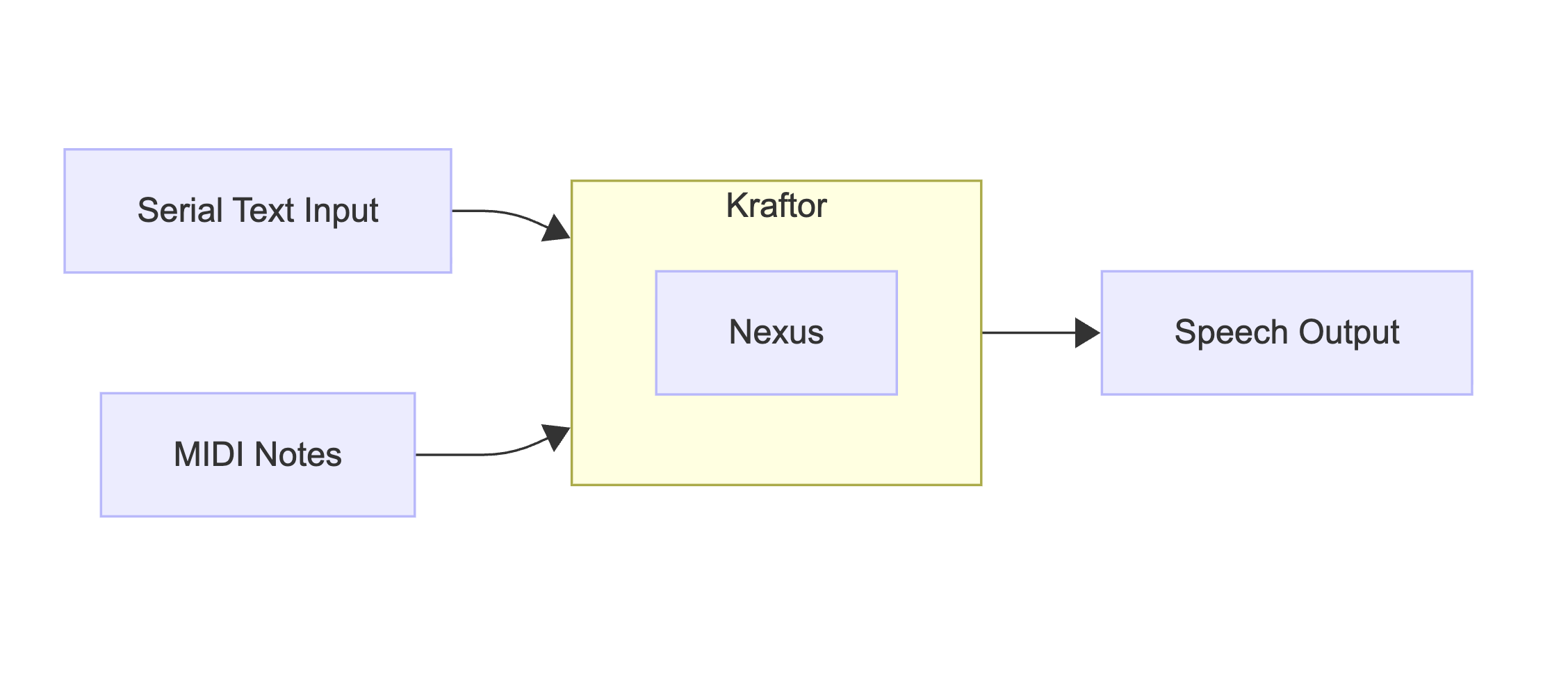
- Serial USB: Connect your favorite serial terminal to Kraftor via USB at 115200 bauds.
- MIDI: Connection can be made via USB or TRS MIDI type B.
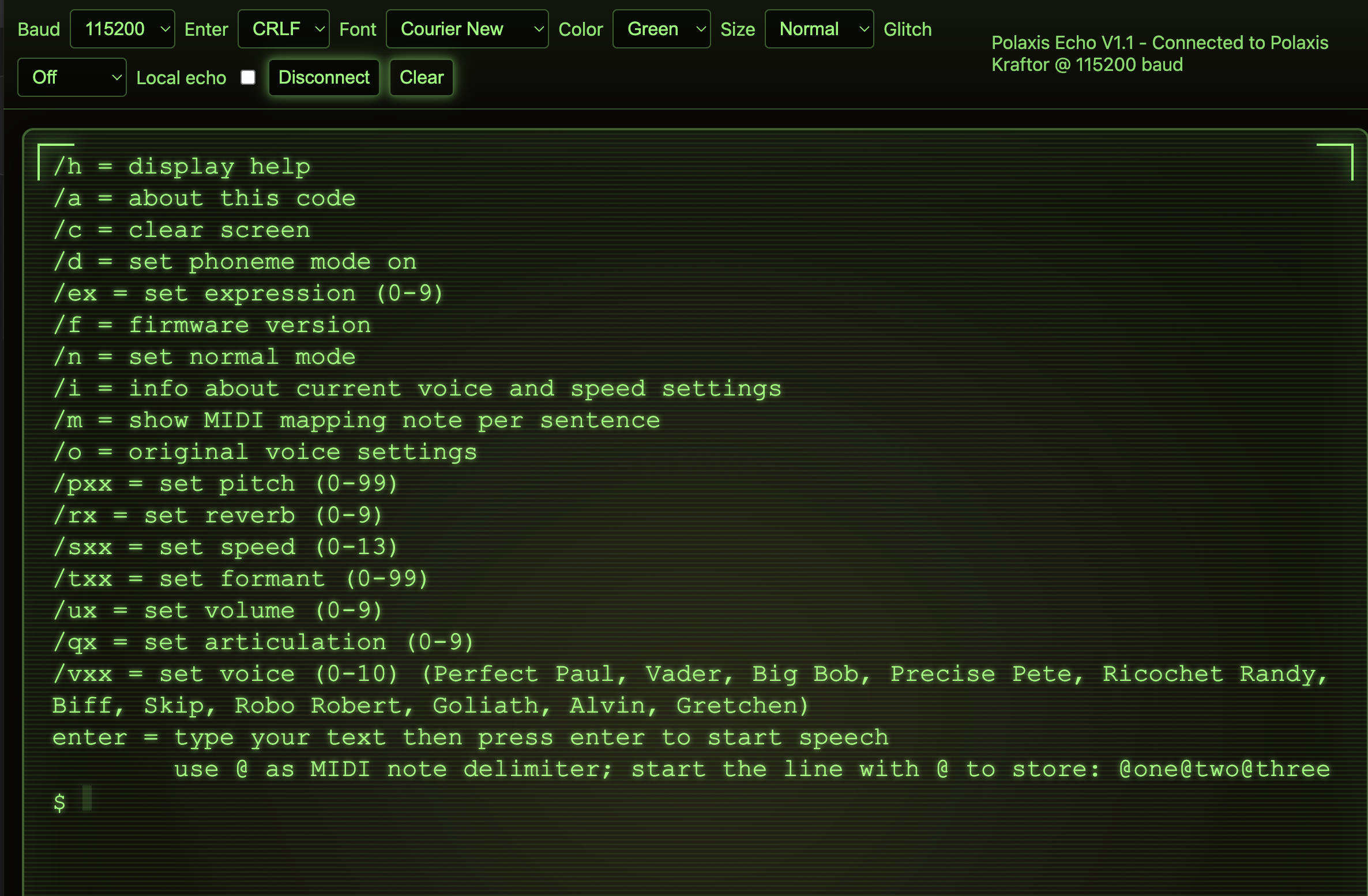
You can also use Echo, our Serial terminal that runs in a browser!

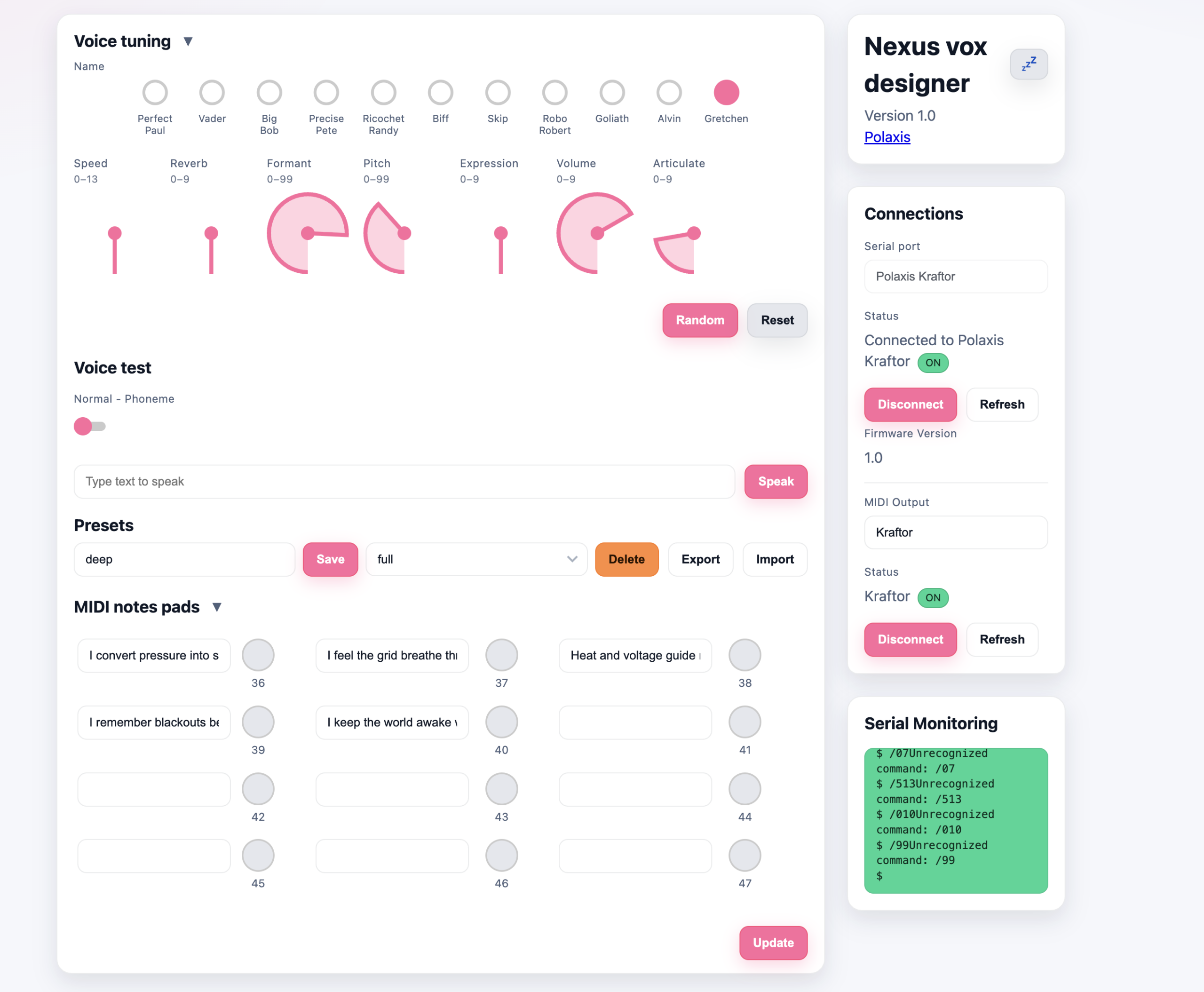
You can also use Nexus vox designer to tune the voice with a graphical interface and a dedicated app that also runs in the browser :
Testing Sentences
Type the command /h for help. You should see the following command list:
/h       = display help
/a       = about this code
/c       = clear screen
/d       = set phoneme mode on
/n       = set normal mode
/ex      = set expression (0-9)
/f       = firmware version
/i       = info about current voice and speed settings
/m       = show MIDI mapping note per sentence
/o       = original voice settings
/pxx     = set pitch (0-99)
/rx      = set reverb (0-9)
/sxx     = set speed (0-13)
/txx     = set formant (0-99)
/ux      = set volume (0-9)
/qx      = set articulation (0-9)
/vxx     = set voice (0-10)
          (Perfect Paul, Vader, Big Bob, Precise Pete, Ricochet Randy, Biff,
           Skip, Robo Robert, Goliath, Alvin, Gretchen)

[Enter]  = type your text then press enter to start speech
@        = use as MIDI note delimiter; start the line with @ to store:
           @one@two@three
You can now type some text and press Enter to hear the speech. Use /s to change speed, /v to change voice, and /d//n to switch phoneme/normal modes.
Preparing Your Sentences for MIDI Triggering
Use the @ delimiter to slice your entry into different sentences. Each sentence will be triggered by
consecutive MIDI notes starting at note 36. Example:
$ @one@two@three@four
$ MIDI Note: 36: one
  MIDI Note: 37: two
  MIDI Note: 38: three
  MIDI Note: 39: four
$
MIDI Trigger
In your sequencer, select Kraftor as the MIDI USB input. Triggering MIDI notes will play the
corresponding sentences as defined above.
Firmware
Do not use this firmware for EMY or Terminal.