Talko 2 Eurorack

Description


Talko2 is a compact, DIY-friendly Eurorack speech module built on the same proven engine used across the Polaxis lineup.

In homage to Error Instruments, the glitch button is named Error, unlocking wild and unpredictable textures.

It speaks numbers, alphabets, phonemes, and classic phrase banks, all with real-time control over pitch, speed, and effects.

A 7-segment display shows the active bank or the selected effect.

Designed for experimental voices and robotic sound design, Talko2 is both a classic speech engine and a versatile creative tool.

Technical details

  • Firmware update: UF2 drag-and-drop using a USB-C data cable.
  • CV range – Sound, Speed, Pitch and FX: 0–3.3 V. Higher positive voltages are clipped at 3.3 V; inputs tolerate up to +10 V.
  • Sound CV: Linearly selects the sounds within the active bank.
  • Pitch CV: Controls speech pitch without calibrated musical scaling; does not follow 1 V/octave.
  • Gate input: Positive gate signals; 0–5 V recommended. Accepts up to +10 V.
  • Input protection: Resistors and clamping diodes protect the analogue CV inputs; the gate input uses a transistor buffer.
  • Current consumption: Approximately 20 mA.
  • Power: Standard Eurorack ±12 V supply through a 10-pin header.
  • Width: 18 HP (approximately 91 mm).

Quick Start

  1. Connect the audio output to your mixer or modular system.
  2. Patch a gate signal into the Gate input (or press the Gate button)
  3. Turn the Encoder to select a speech bank (shown on the 7-segment display).
  4. Use the Sound knob to pick the item (digit, letter, word, phoneme).
  5. Adjust Speed and Pitch to taste.
  6. Push the encoder and turn it to select an effect, and use the FX knob to adjust its depth


Media


Talko 2 Terminal

Description


Talko Terminal uses the same proven and highly successful enclosure as the Emy Terminal, offering a compact, robust, and DIY-friendly design.

Inside, it is the same PCB as the Eurorack version, but the Terminal format adds several advantages:

  • USB power available on the back

  • Direct computer communication (serial, and potentially MIDI in future updates)

  • No need to open the case for firmware upload—connect via USB and upload the UF2 file using our custom uploader.


Talko speaks numbers, alphabets, phonemes, and classic phrase banks, with real-time controls for pitch, speed, and effects.

A 7-segment display shows the active bank or effect.

Designed for experimental voices and robotic textures, Talko2 combines a classic speech engine with a modern sound-design toolset.

Technical details

  • Firmware update: UF2 drag-and-drop using a USB-C data cable via the rear port, without opening the enclosure.
  • CV range – Sound, Speed, Pitch and FX: 0–3.3 V. Higher positive voltages are clipped at 3.3 V; inputs tolerate up to +10 V.
  • Sound CV: Linearly selects the sounds within the active bank.
  • Pitch CV: Controls speech pitch without calibrated musical scaling; does not follow 1 V/octave.
  • Gate input: Positive gate signals; 0–5 V recommended. Accepts up to +10 V.
  • Input protection: Resistors and clamping diodes protect the analogue CV inputs; the gate input uses a transistor buffer.
  • Current consumption: Approximately 35 mA at 5 V.
  • Power: USB-C.

Quick Start

  1. Connect the audio output to your mixer or modular system.
  2. Patch a gate signal into the Gate input (or press the Gate button)
  3. Turn the Encoder to select a speech bank (shown on the 7-segment display).
  4. Use the Sound knob to pick the item (digit, letter, word, phoneme).
  5. Adjust Speed and Pitch to taste.
  6. Push the encoder and turn it to select an effect, and use the FX knob to adjust its depth


Media


Talko 2 Bricky

Description

This module directly benefits from all these developments: a compact, DIY-friendly design, available both as a Eurorack module and as a standalone “Bricky” format inspired by Error Instruments. In homage, the glitch button has been renamed Error.

It speaks numbers, alphabets, phonemes, and classic phrase banks, with real-time pitch, speed, and effect controls.

A 7-segment display shows the active bank or the effect applied.
Designed for experimental voices and robotic textures,
Talko2 is both a classic speech engine and a sound-design tool.

Technical details

  • Firmware update: UF2 drag-and-drop using a USB-C data cable.
  • CV range – Sound, Speed, Pitch and FX: 0–3.3 V. Higher positive voltages are clipped at 3.3 V; inputs tolerate up to +10 V.
  • Sound CV: Linearly selects the sounds within the active bank.
  • Pitch CV: Controls speech pitch without calibrated musical scaling; does not follow 1 V/octave.
  • Gate input: Positive gate signals; 0–5 V recommended. Accepts up to +10 V.
  • Input protection: Resistors and clamping diodes protect the analogue CV inputs; the gate input uses a transistor buffer.
  • Current consumption: Approximately 35 mA at 5 V.
  • Power: 5–12 V DC through a 2.1 mm centre-positive barrel connector.

Quick Start

  1. Connect the audio output to your mixer or modular system.
  2. Patch a gate signal into the Gate input (or press the Gate button)
  3. Turn the Encoder to select a speech bank (shown on the 7-segment display).
  4. Use the Sound knob to pick the item (digit, letter, word, phoneme).
  5. Adjust Speed and Pitch to taste.
  6. Push the encoder and turn it to select an effect, and use the FX knob to adjust its depth


Media


Polyglot

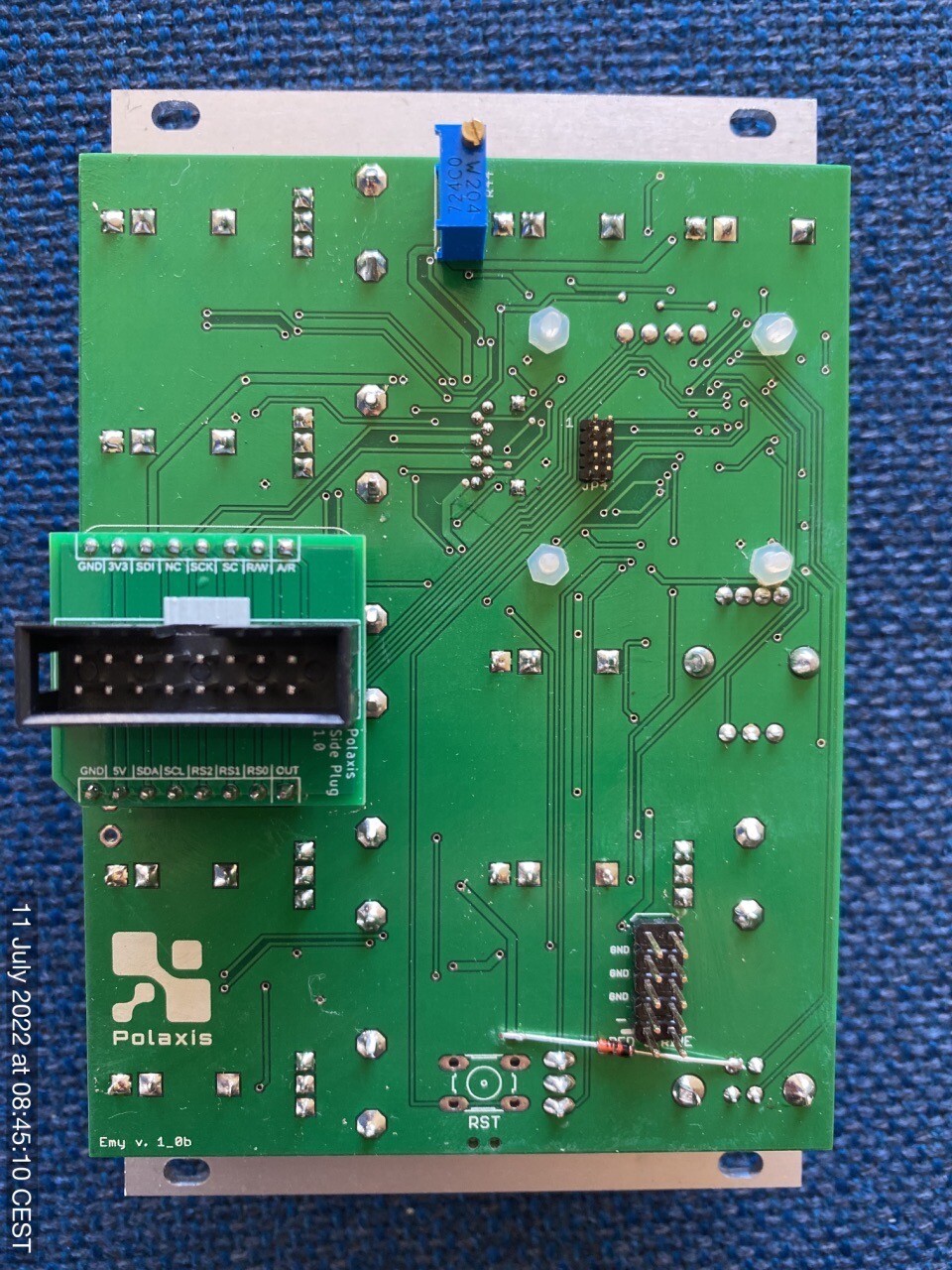
Please make sure to orient the plug PCB correctly  on EMY with the white marking on the top:


Polyglot Kit Assembly Procedure


Talko 1 DIY

This module is performing real-time LPC synthesis to produce intelligible voice or … not if you choose to.

The module produces sounds in 3 major modes : Speech, Repeat and VCO.

Talko is an Arduino-based synthesiser developed under open-source hardware and software. (license CC-BY-SA)

Its firmware can be updated via the onboard USB port.

Please note that building & coding this module requires minimum Arduino knowledge like installing a com port, installing libraries & uploading code.

Technical details

– format: Eurorack
– width: 10hp
– depth: 30 mm skiff friendly
– power: + 12V: 65 mA via 10 pin Doepfer power bus
– audio : un-filtered 5V PWM carrier at 62500 Hz
– inputs: protected against over or under voltage by clipping from 0 to  +5V

Assembly

The kit contains everything you need to build your own Talko 1.2 : the panel, the PCB, the components, the knobs and the power cable.

The kits include  a populated PCB with all SMD installed .

The bootloader is already flashed to the ATmega338p.

The assembly manual can be found here : https://github.com/deladriere/euro-modules/wiki/Assemble-Talko

User Manual

The user manual can be found here : https://www.polaxis.be/wp-content/uploads/2016/05/Talko-Manual-1_2.pdf

Technical support

https://github.com/deladriere/euro-modules/tree/master/Talko


Kaiwa Panel

See the assembly manual 


Emy Blank Panel

See the assembly manual 


Emy Panel


Kaiwa Alternative Voice : F4 (Kaiwaii cute female)


Kaiwa Alternative Voice : M6 (male)


Kaiwa Alternative Voice : F1 (slow female)


Kaiwa kit

Assembly Manual :

https://docs.google.com/document/d/1YqtZGcR0a9y3dSaS41rJ2dpXWgq_nbGpbouSVJeHrYA/edit?usp=sharing

Quickstart manual: https://www.polaxis.be/download/kaiwa-quickstart-manual/

For more information, check the assembled Kaiwa